How to get "health insurance eligibility certificate" using MyNumber card

How to obtain a “health insurance eligibility information” through MyNa Portal

  • What is the document used for?
    You can verify your health insurance information
    You may be required to submit a printout of your eligibility information as one of the required documents when applying for visa changes depending on the type of visa you are applying for.
    * Before proceeding with the following, please make sure you have enabled your MyNa card to be used as health insurance card. For more details, follow the instructions on this page.
     
  • What you need to prepare (if you use your mobile phone):
    1. Your plastic MyNumber card
    2. 4-digit PIN for your plastic MyNumber card
    3. A mobile phone that has ability to scan IC chip embedded on MyNumber card

Getting the certificate on your phone

Steps

MyNa Portal app
1. Open "MyNa Portal app" on your mobile phone

If you don't have the app, you can download the app from either of the below links:

Android download link
iPhone download link

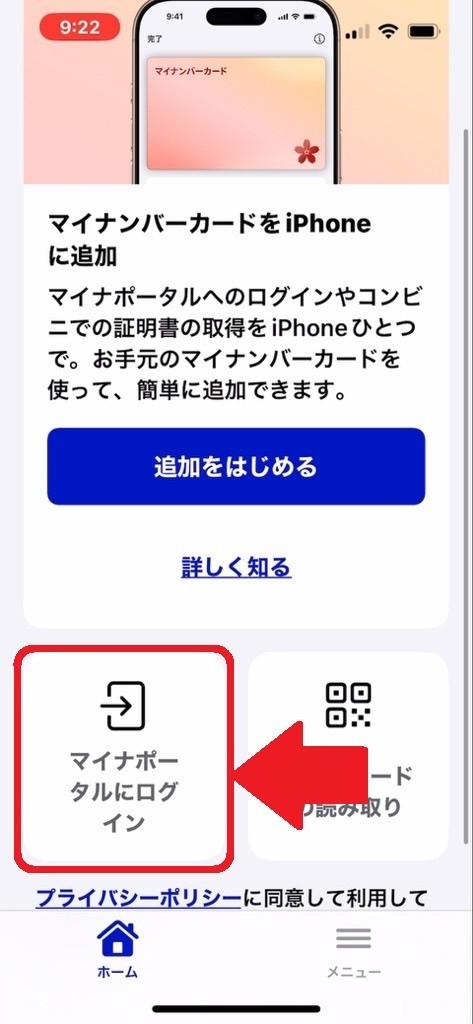
MyNa portal phone screen1
2. Click "Login"
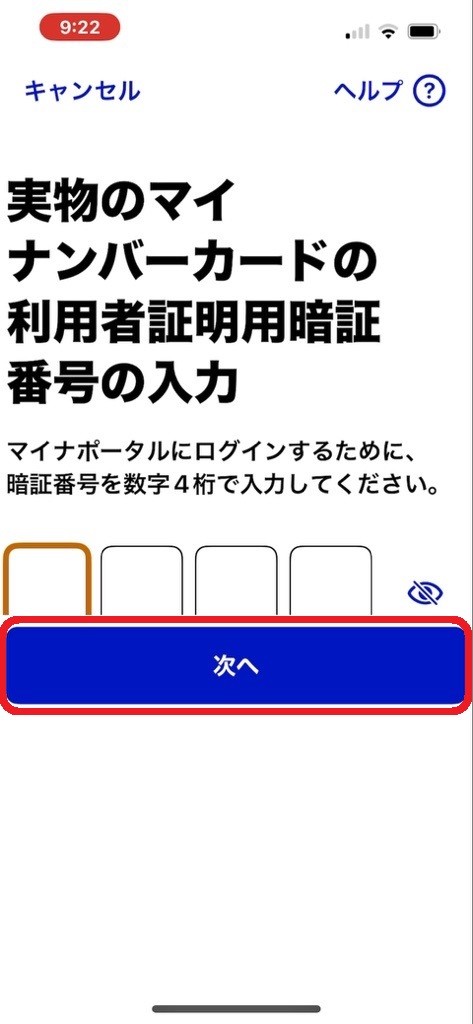
MyNa portal phone screen2
3. Punch in the 4-digit PIN and click the blue button
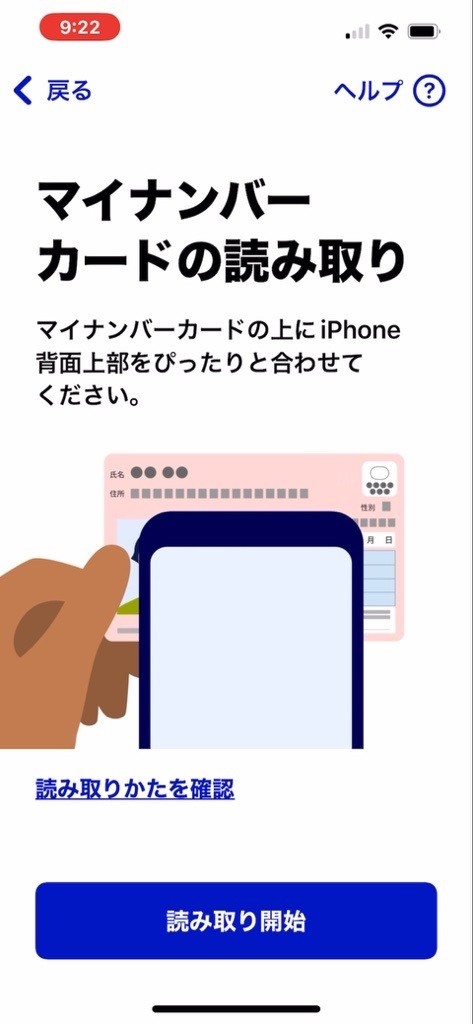
Myna portal phone3
4. Scan your MyNumber card with your phone
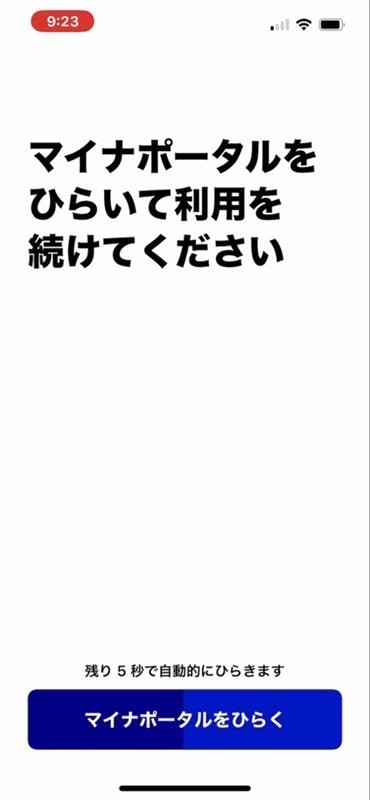
Myna Portal phone screen4
5. Wait 10 sec for MyNa portal page to open on your browser
MyNa Portal phone screen5
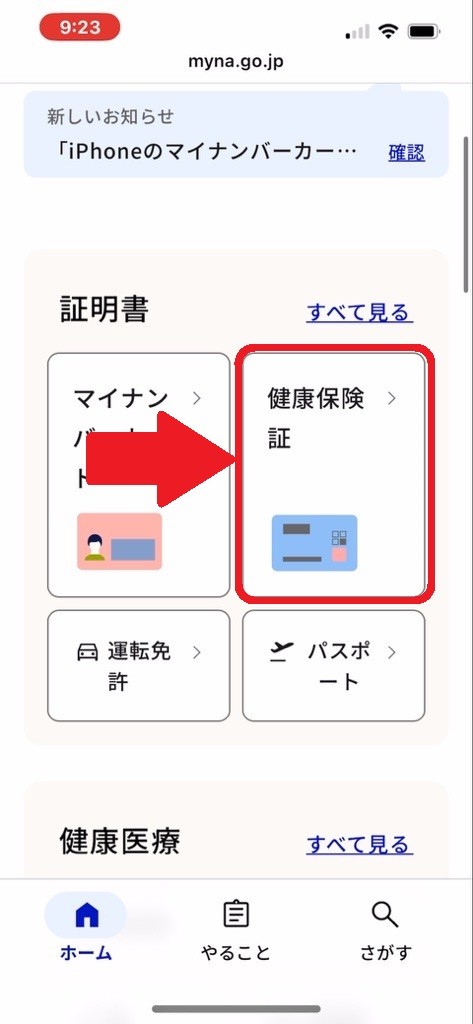
6. On the next page, scroll a bit down and click "健康保険証"
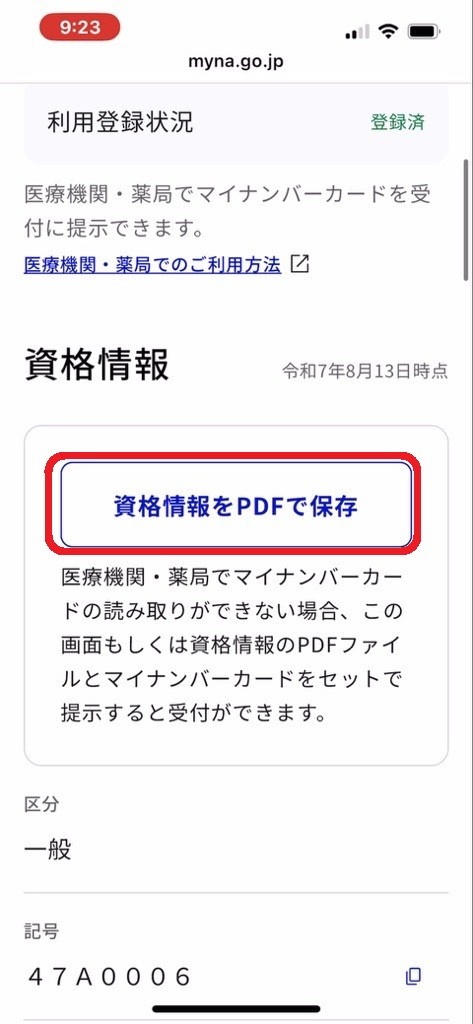
MyNa Portal phone screen6
7. Click “資格情報をPDFで保存” (Save the eligibility info as PDF)
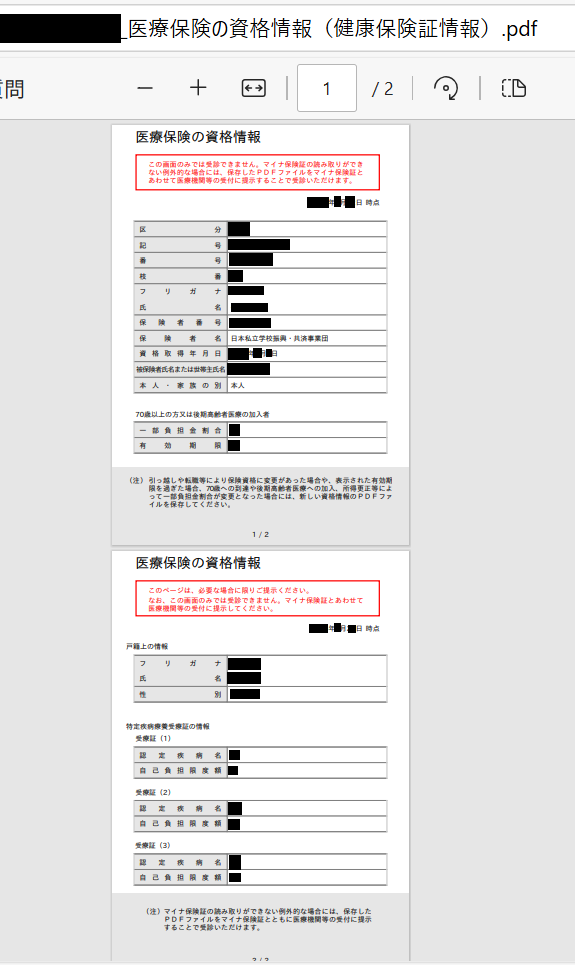
Health insurance eligibility certificate
8. The PDF should look like the below example – Download and save the data

Getting the certificate on your PC

Steps

What to prepare MyNa health insurance certificate
1. What you need to prepare
  1. Your plastic MyNumber card
  2. 4-digit PIN for your plastic MyNumber card
  3. A computer with an IC card reader

*a specific app needs to be installed to connect the IC card reader with MyNa Portal website – the app can be downloaded from one of the links at the bottom of this page

MYna health insurance
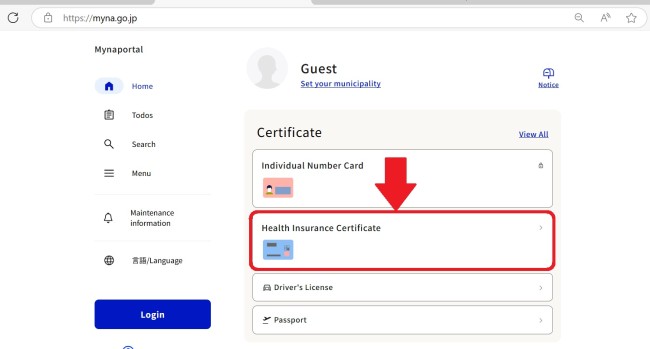
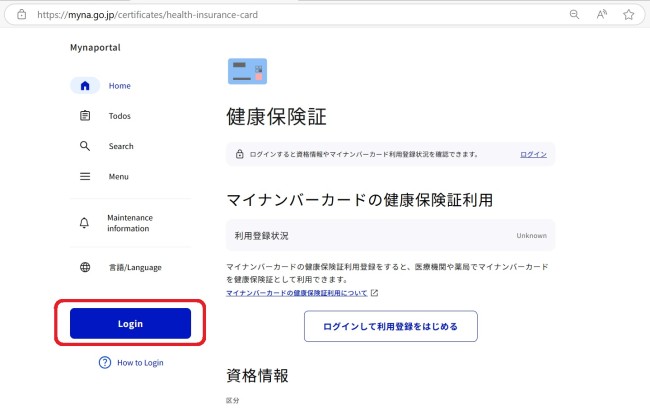
2. Access MyNa Portal page and click “Health Insurance Certificate”
Myna health 2
3. On the next page, click "Login"
Mynahealth 3
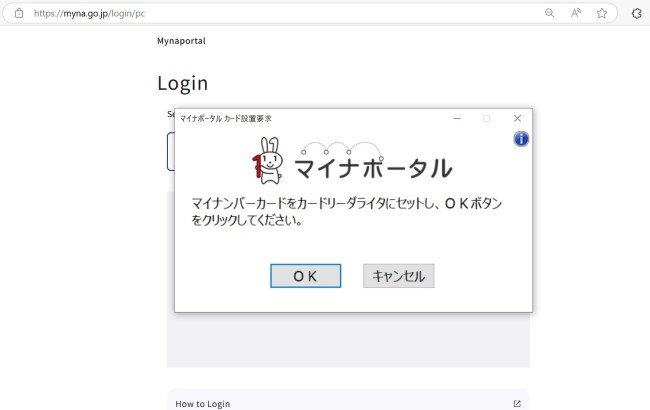
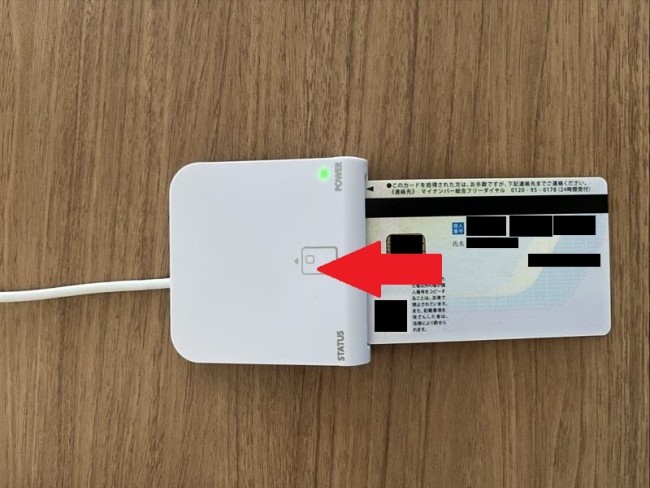
4. When a pop-up window appears, insert your MyNumber card into the IC card reader, then click “OK” on the pop-up window
Insert Myna card
Myna health 4
5. Enter the 4-digit PIN you set for your MyNumber card
Myna health 5
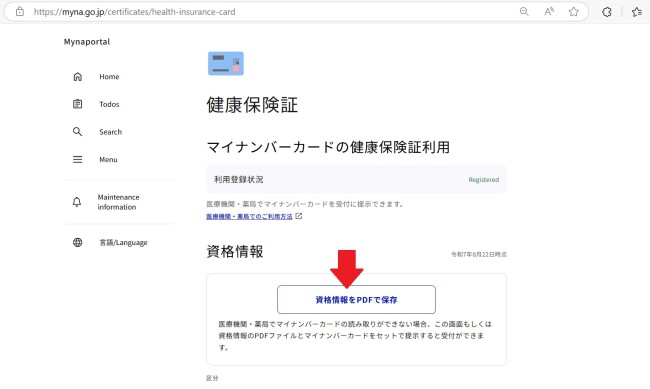
6. On the next page, click “資格情報をPDFで保存” (save the eligibility info in PDF format)
Health insurance eligibility certificate
7. Your certificate will be shown! Save it onto your computer