How to transfer money to Wise (formerly TransferWise) account

Table of Contents

If you wish to make international money transfer using WISE please follow the instructions below.

Have the following ready before you go into an ATM machine:

  1. Wise bank details
  2. Your phone number
  3. Your bank card


**STOP**
※Please use the following instructions only when tranferring the money to Wise Payment account. Bank details may vary depending on the case, so please confirm the transfer shoud be made to the Hikari Branch, Wise Payment Bank, or another bank. If the transfer is to a bank othar than Wise Payment Bank, please contact Resource Center. 


How to make a transfer:

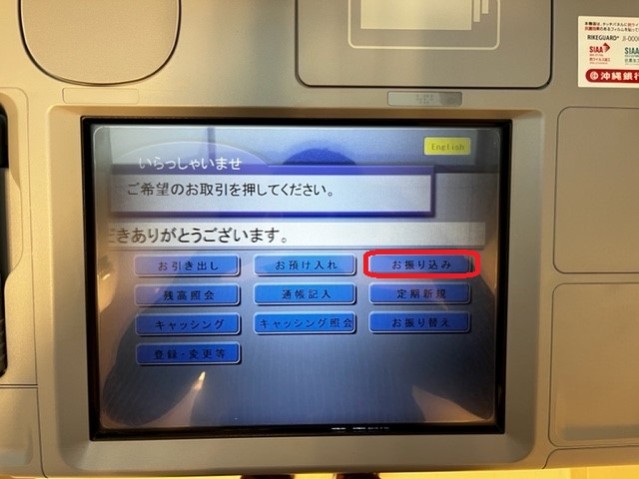
Please DO NOT SELECT "ENGLISH" TAB as this function is not available in English.

1. Select "お振込み" tab at the top-right.

RC-WISE-01

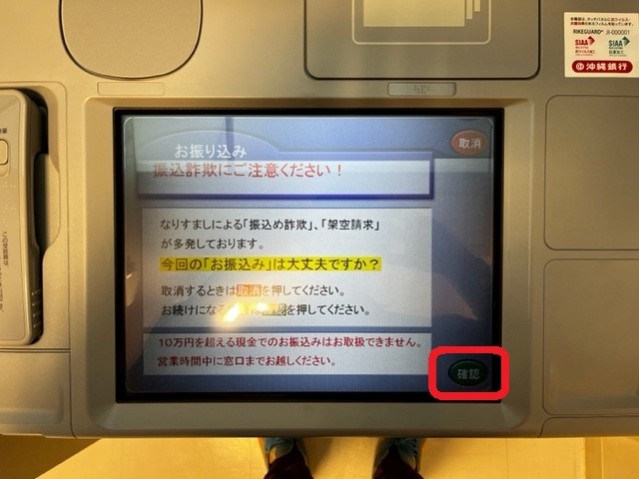
2. Tap the green button at right-bottom.

RC-WISE-02

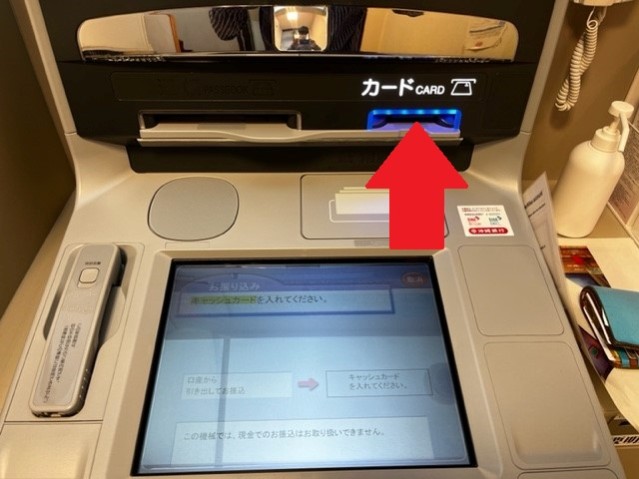
3. Insert your bank card

RC-WISE-03

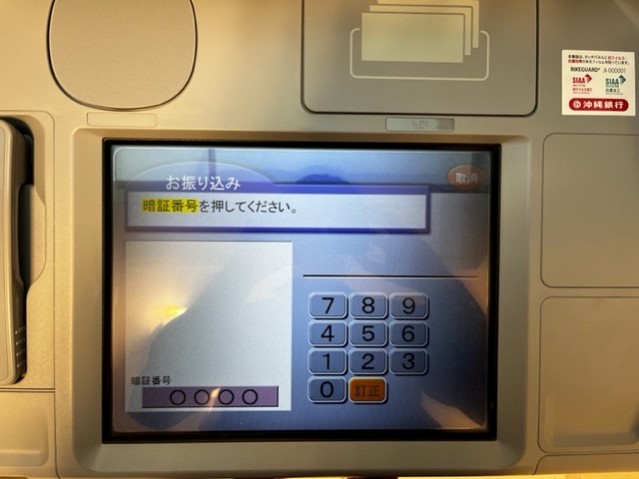
4. Type in the 4-digit pin number for your bank card

RC-WISE-04

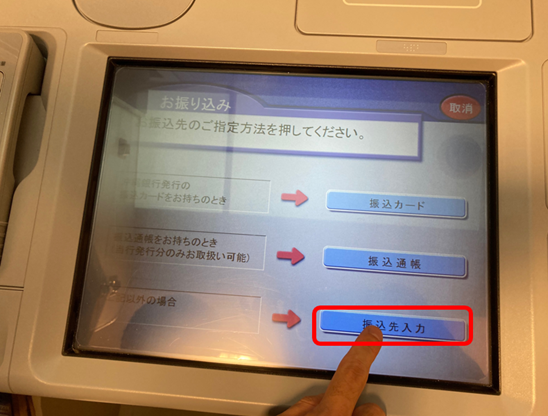
5. Select the button at the very bottom.

RC-WISE

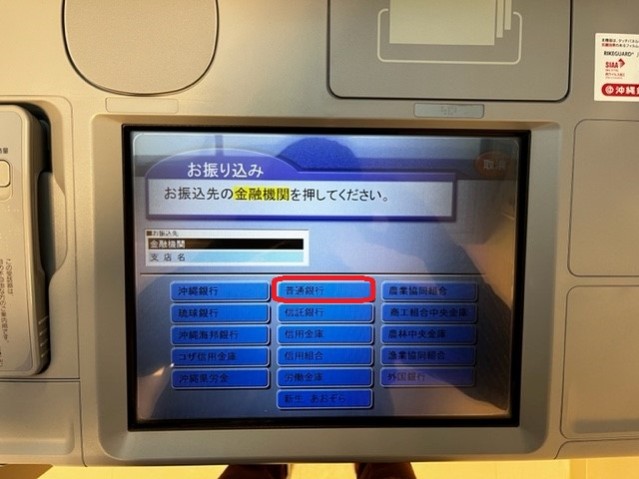
6. Tap "普通銀行".

RC-WISE-06

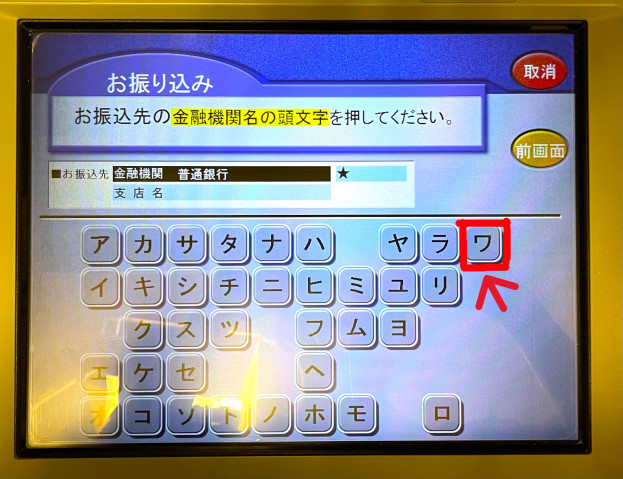
7. Select "ワ" in the first row, rightmost column. 

RC-WISE-8

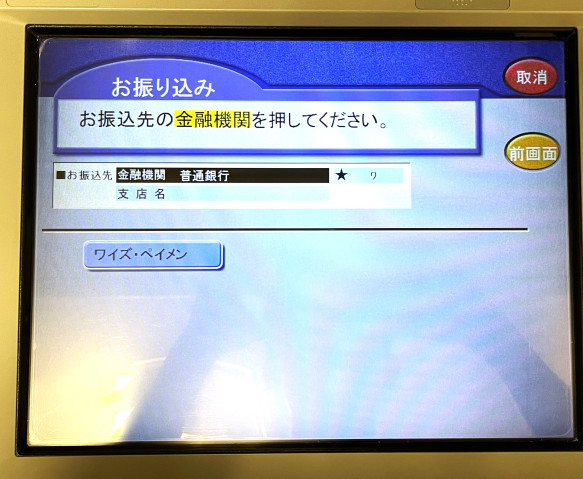
8. Select "ワイズ・ペイメン" from the list. 

RC-WISE-8.1

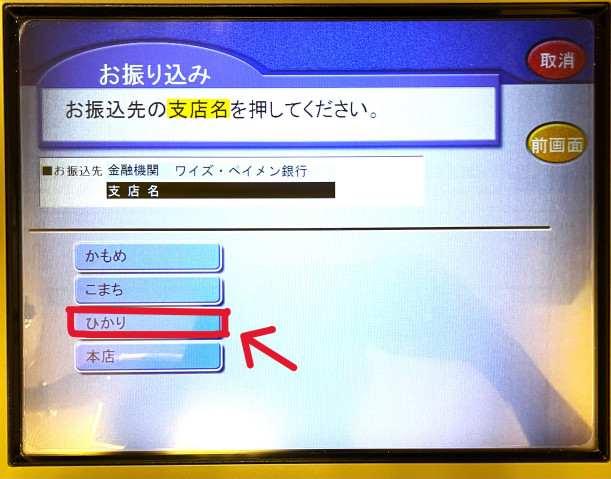
9. Select "ひかり" for "Hikari branch".

RC-WISE-9

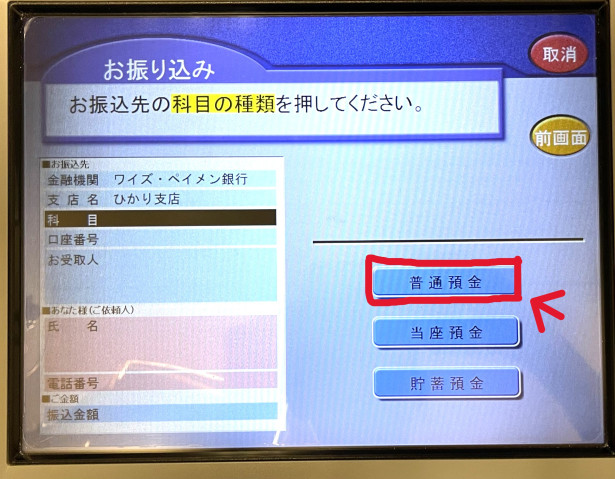
10. Select "普通預金".

RC-WISE-10

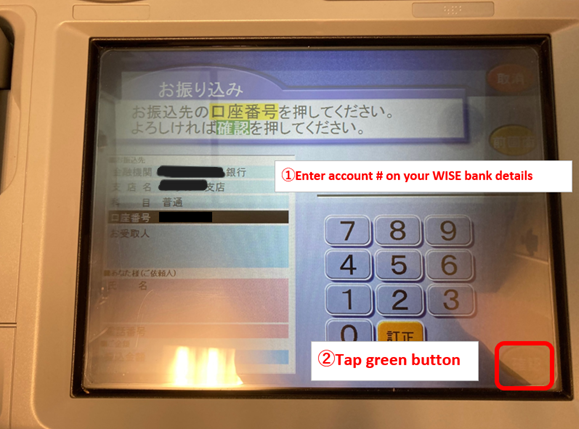
11. Type in the account number you took note of.

RC-WISE-11

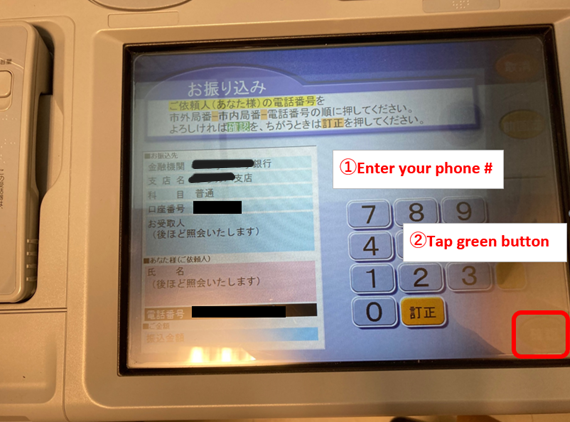
12. Type in your phone number (use the resource center's phone number 098-982-3540 if you don't have one).

RC-WISE-12

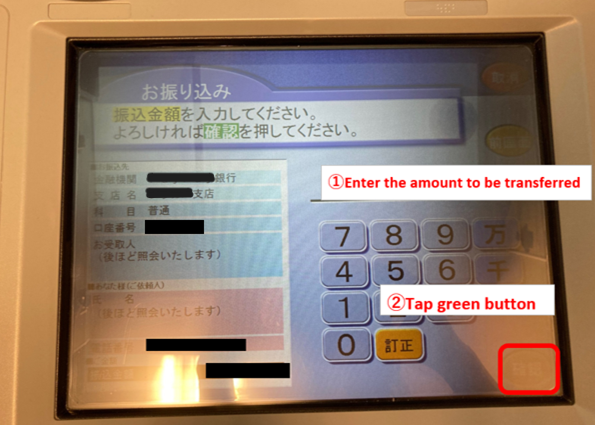
13. Type in the amount you are transferring.

RC-WISE-13

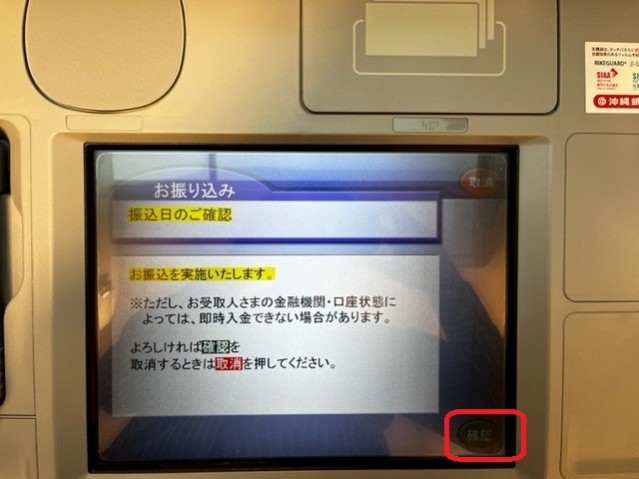
14. Tap the green button if you see this message (no need if this page doesn't appear)

RC-WISE-15

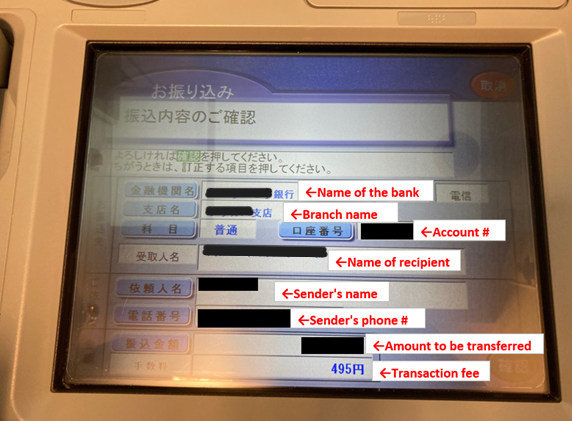
15. In the next page, a summary of this transfer will be shown. Double-check the account number, the amount, and the transaction fee below the amount. Tap the green button at the right-bottom to confirm the payment. Receive your bank card and a receipt.

RC-WISE-15